










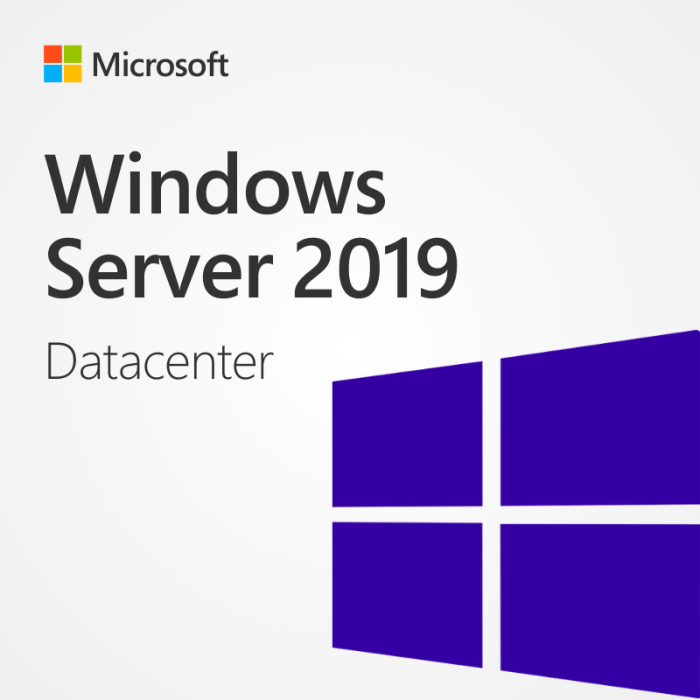

Windows Server 2019 Datacenter
Windows Server 2019 Datacenter is crafted to empower organizations with exceptional efficiency, security, and scalability. This advanced solution provides a robust array of features and tools designed specifically to address the evolving needs of modern businesses. It enables organizations to fully leverage their technological capabilities, fostering increased productivity and operational excellence.
Enhanced Security
Purchase Windows Server 2019 Datacenter to integrate advanced security features and protect sensitive data. Windows Defender Advanced Threat Protection (ATP) identifies and mitigates malicious activities, while Shielded Virtual Machines and Windows Defender Exploit Guard strengthen defenses against unauthorized access and zero-day exploits.
Hybrid Cloud Integration
Effortlessly integrate on-premises infrastructure with cloud services using Windows Server 2019 Datacenter. Utilize hybrid capabilities such as Azure Backup and Azure Site Recovery for business continuity, extend your datacenter to the cloud, and leverage cloud flexibility and scalability while retaining control over resources.
Software-Defined Storage
Windows Server 2019 Datacenter includes Storage Spaces Direct, a software-defined storage solution enabling highly available and scalable storage clusters. Efficiently pool and manage storage resources, optimize performance, and enhance resilience while lowering costs.
Improved Application Platform
Benefit from a robust platform for hosting diverse applications with Windows Server 2019 Datacenter. Accelerate application development using Windows Server containers and Nano Server deployment options, streamline deployments, and enhance application isolation.
Hyper-Converged Infrastructure
Transform your datacenter with integrated hyper-converged infrastructure capabilities in Windows Server 2019 Datacenter. Consolidate compute, storage, and networking resources, simplify management through tools like Windows Admin Center, and achieve greater scalability and agility.
Enhanced Networking
Strengthen your network infrastructure with Windows Server 2019 Datacenter. Employ features like software-defined networking (SDN) and Network Controller to automate network configuration, enhance security, and simplify management.
High Performance and Scalability
Experience exceptional performance and scalability with Windows Server 2019 Datacenter. Support larger VMs with up to 64 virtual processors and 256 terabytes of memory, enabling seamless management of demanding workloads and growing data volumes.
Streamlined Administration
Efficiently manage and monitor your Windows Server environment with Windows Admin Center. This web-based tool offers a unified interface for administering servers, clusters, and virtual machines, enhancing productivity through simplified routine tasks.
System Requirements
Before you buy Windows Server 2019 Datacenter, ensure that your system meets the following minimum requirements:
- Processor: 1.4 GHz 64-bit processor or faster
- RAM: 512 MB (2 GB for Server with Desktop Experience installation option)
- Hard Disk Space: 32 GB or more
- Network: Gigabit Ethernet adapter (10/100/1000Base-T)
- Optical Drive: DVD drive (if installing the operating system from a DVD)
- Display: Super VGA (1024×768) or higher-resolution monitor
- Other Requirements: Internet access (for updates and online activation)

Vaughn –
“No problems with activation, software is running perfectly.”
Simon –
“Received activation details instantly, everything went smoothly.”
Quincy –
“Activated my product effortlessly, highly recommend.”
Walter –
“Activation process was seamless, very impressed.”
Tristan –
“Activation was quick and hassle-free, service was excellent.”
Ricardo –
“Efficient activation process, software is operational.”
Ulysses –
“Software activated smoothly, no issues encountered.”
Violet –
“Quick delivery of activation, very satisfied with the service.”
Rosalie –
“Received activation details promptly, software works perfectly.”
Yvette –
“Received activation details instantly, everything went smoothly.”
Whitney –
“Activated my product effortlessly, highly recommend.”
Savannah –
“Activation was quick and efficient, service was outstanding.”
Xena –
“Efficient activation process, software is operational.”
Tessa –
“Smooth activation process, software operates as expected.”